



Skip to content
ArtCultureArtCultureArtCulture
    • Home
    • Arts
      • Photoshop
      • Online Art Gallery
    • Culture
      • Destinations
      • Costumes
      • Food
      • Travel
    • Exhibitions
    • Fashion
    • Humor & Cartoons
    • News
    • Technology
      • Adobe
      • Internet tips
      • Mac OS
      • Microsoft Office
      • Mobile
      • Windows
      How to fix Photoshop toolbar missing

      How to fix Photoshop toolbar missing. Photoshop is a fairly familiar application to most computer users today, Adobe Photoshop ‘s superiority compared to photo editing software supports many languages. In addition, the software is also...

      Fix Photoshop won't close Windows
      Fix Photoshop won’t close Windows

      Fix Photoshop won’t close Windows. Question: “I am having a problem quitting Photoshop on my MacBook. I keep getting the message, “The document “The Gavriella...

      How to paint realistic eyes
      How to paint realistic eyes using pencils and markers

      How to paint realistic eyes using pencils and markers. Painting eyes can look deceptively difficult. After all, there are a number of fine details in...

      How to fix Not enough RAM Photoshop error 2
      How to fix Not enough RAM Photoshop error

      fix Not enough RAM Photoshop error. How to fix Not enough RAM Photoshop error. After updating Windows 10 April 2018 Update version 1803 – generally this new version...

      How to change the color of an object in a picture Photoshop
      How to change the color of an object in a picture Photoshop

      How to change the color of an object in a picture Photoshop. Selecting and changing the color of the subject in the photo, for example, changing...

      How to remove blemishes in Photoshop 2021
      How to remove blemishes in Photoshop 2021

      How to remove blemishes in Photoshop 2021. Professional designers are certainly very familiar with this work. However, not everyone knows how to erase and remove...

      Fix Could not use the Brush Tool because the pixels in a group cannot be edited
      Fix Could not use the Brush Tool because the pixels in a group cannot be edited

      Fix Could not use the Brush Tool because the pixels in a group cannot be edited. Question: “I keep getting the below message when trying...

      10 Amazing Photoshop tips and tricks for beginners
      10 Amazing Photoshop tips and tricks for beginners

      10 Amazing Photoshop tips and tricks. Photoshop is like a powerful tool in the world of photo editing software. It is a great software that...

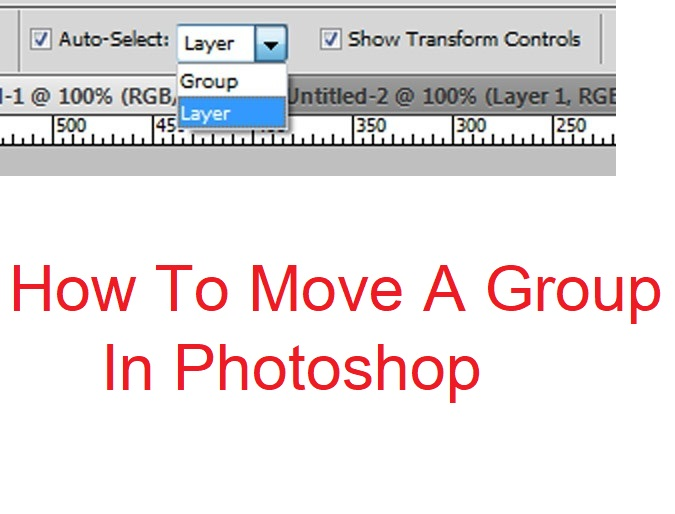
      How To Move A Group In Photoshop

      Posted on January 27, 2022September 8, 2022 by SouthSide
      How To Move A Group In Photoshop
      27
      Jan

      How To Move A Group In Photoshop. When you select the group, and then take your mouse and drag to move, you end up moving an individual layer. You end up having to use keyboard to move things around, but that’s very inefficient. In this article, we provide some suggestions on How To Move A…

      Posted in Photoshop  |  Tagged How To Move A Group In Photoshop
      Recent Posts
      • Shipping Cargo from Hanoi to Saigon by Train: Complete Guide to North-South Rail Freight in Vietnam
      • Shipping a Motorcycle by Train from Hanoi to Saigon: Complete Guide
      • Ceiling Cassette vs. Wall-Mounted Air Conditioner: Which One Should You Choose?
      • Top 10 Best Cafes in Hanoi 2026
      • Banh Mi in Hoi An must try by Vietnam Journeys Group
      Advertisement
      Cooking Guide
      • How to cook Famous Japanese Katsu Curry
      • How to make Vietnamese Silken Tofu in Ginger Syrup Dessert
      • How to make delicious chicken chow mein like the takeaway
      • How to make easy Chinese Char Siu Pork (Pan-Roasted)
      • How to make Filipino Mango Ice Cream

      Block "footer" not found

      • About me
      • The Best Art Culture Blogs for Digital Painting
      • Home
      • Arts
        • Photoshop
        • Online Art Gallery
      • Culture
        • Destinations
        • Costumes
        • Food
        • Travel
      • Exhibitions
      • Fashion
      • Humor & Cartoons
      • News
      • Technology
        • Adobe
        • Internet tips
        • Mac OS
        • Microsoft Office
        • Mobile
        • Windows