




Skip to content
ArtCultureArtCultureArtCulture
    • Home
    • Arts
      • Photoshop
      • Online Art Gallery
    • Culture
      • Destinations
      • Costumes
      • Food
      • Travel
    • Exhibitions
    • Fashion
    • Humor & Cartoons
    • News
    • Technology
      • Adobe
      • Internet tips
      • Mac OS
      • Microsoft Office
      • Mobile
      • Windows
      How to fix corrupted Photoshop file
      How to fix corrupted Photoshop file

      How to fix corrupted Photoshop file. Admittedly it doesn’t happen every day, but Photoshop files can get corrupted. It’s possible that your antivirus or firewall software...

      Fix Wacom pen pressure not working in Adobe Photoshop
      Fix Wacom pen pressure not working in Adobe Photoshop

      Fix Wacom pen pressure not working in Adobe Photoshop. Sometimes users will experience pressure loss in Photoshop or other graphics software. Theartcult would like to...

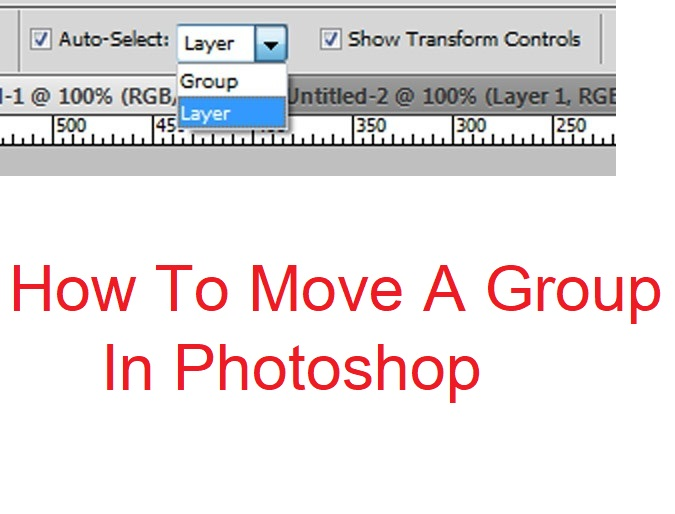
      How To Move A Group In Photoshop
      How To Move A Group In Photoshop

      How To Move A Group In Photoshop. When you select the group, and then take your mouse and drag to move, you end up moving...

      Tet beautifully recreated with Lego

      Tet beautifully recreated with Lego. On February 15, Lego company’s fanpage with more than 14 million followers introduced a collection of traditional Vietnamese dishes on...

      How to enhance image quality in Photoshop
      How to enhance image quality in Photoshop

      How to enhance image quality in Photoshop. For images with small resolution, when you zoom in, it becomes blurry. However, we can still fix this...

      Could not use move tool because the target channels is hidden
      How to fix “Could not use move tool because the target channels is hidden”

      How to fix “Could not use move tool because the target channels is hidden” While using Adobe Photoshop you might get this popup warning “Could...

      How to merge two photos in Photoshop CS6
      How to merge two photos in Photoshop CS6

      How to merge two photos in Photoshop CS6 is not as difficult as you think. With just a few simple steps, you have a beautiful...

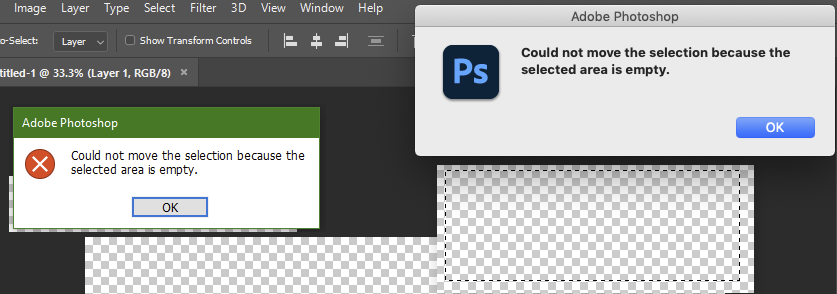
      Fix: Could not move the selection because the selected area is empty
      Fix: could not move the selection because the selected area is empty photoshop

      Could not move the selection because the selected area is empty, could not move the selection because the selected area is empty photoshop , how...

      Vietpak: Recycled and Reusable Vest Carrier Bag Manufacturer

      Posted on June 16, 2025June 16, 2025 by adminlbk
      16
      Jun

      100% Recycled and Reusable Vest Carrier Bag Manufacturer. In the bustling aisles of UK supermarkets and shops, a familiar companion has quietly been making a positive impact on the environment – the blue vest carrier bag. Known for its simple yet sturdy design, this versatile bag has become a popular choice for shoppers across the…

      Posted in News  |  Tagged Vietpak
      Recent Posts
      • Shipping Cargo from Hanoi to Saigon by Train: Complete Guide to North-South Rail Freight in Vietnam
      • Shipping a Motorcycle by Train from Hanoi to Saigon: Complete Guide
      • Ceiling Cassette vs. Wall-Mounted Air Conditioner: Which One Should You Choose?
      • Top 10 Best Cafes in Hanoi 2026
      • Banh Mi in Hoi An must try by Vietnam Journeys Group
      Advertisement
      Cooking Guide
      • How to cook Famous Japanese Katsu Curry
      • How to make Vietnamese Silken Tofu in Ginger Syrup Dessert
      • How to make delicious chicken chow mein like the takeaway
      • How to make easy Chinese Char Siu Pork (Pan-Roasted)
      • How to make Filipino Mango Ice Cream

      Block "footer" not found

      • About me
      • The Best Art Culture Blogs for Digital Painting
      • Home
      • Arts
        • Photoshop
        • Online Art Gallery
      • Culture
        • Destinations
        • Costumes
        • Food
        • Travel
      • Exhibitions
      • Fashion
      • Humor & Cartoons
      • News
      • Technology
        • Adobe
        • Internet tips
        • Mac OS
        • Microsoft Office
        • Mobile
        • Windows